Account Based Marketing for MUMBOs Is Here: Introducing Custom Targets
Account-based marketing (ABM) is one of the most effective ways to win high-value B2B deals. Instead of casting a wide net, it focuses on highly personalized, one-to-one outreach—treating each prospect as a “market of one.” The goal isn’t volume, but deep, strategic relationships with the right accounts.
In franchising, that means targeting multi-unit, multi-brand operators (MUMBOs)—experienced groups with teams, existing portfolios, and real access to capital. While nurturing them is slower and more effortful, their ability to execute large, multi-unit deals can be transformative for franchisors.
Here is how the new Custom Target feature supports Account-Based Marketing.
Step 1: Build your MUMBO filter
Instead of mass outreach to a big group, focus on narrowing down based on geography, brand ownership and industry. Remember, you can create many targets so try to keep each one specific.
 An example of a narrow filter used to create a Target Group
Step 2: Save it as a Target
After saving the Custom Target through a button in the top right corner, you will always be able to access it from the dashboard. You can also control the privacy of your targets to set them as private, team (accessible to your teammates) or public. The beauty of a Custom Target is that you can jump back into processing the most valuable leads instead of selecting filters every time.
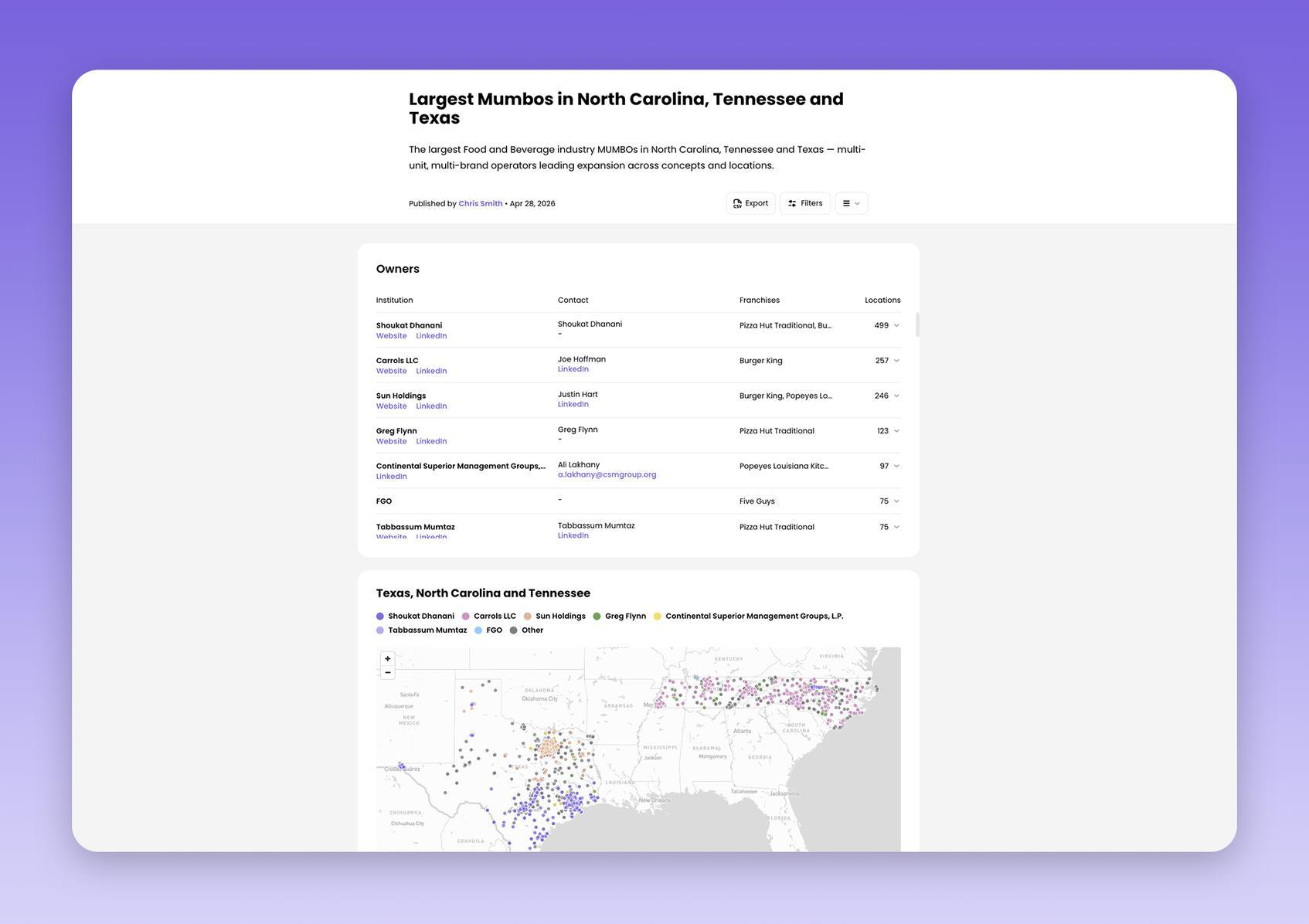 A view inside a Custom Target
Step 3: Research each account and create multi-touch, multi-channel outreach
Inside the saved target view, you will be able to scroll through the MUMBOs, look inside their organizations and find key decision makers inside each franchisee group. Once you find them, you can use their email and LinkedIn for the initial outreach. We recommend to layer in your outreach across several channels and keep your outreach personalized.
 You can access org charts and contact information of MUMBOs inside the Custom Target
The Custom Targets are always available in the main dashbord view. You will see targets that you created, your team shared with you or public targets created by Wefranch.
 A collection of Custom Targets displayed in the dashboard
Here is a demo of this feature walking through the steps to create and use a board:
Did you enjoy reading this blog post?